Software Updates Are Slowing Your Phone Down — But the Reason Is More Complicated Than You Think
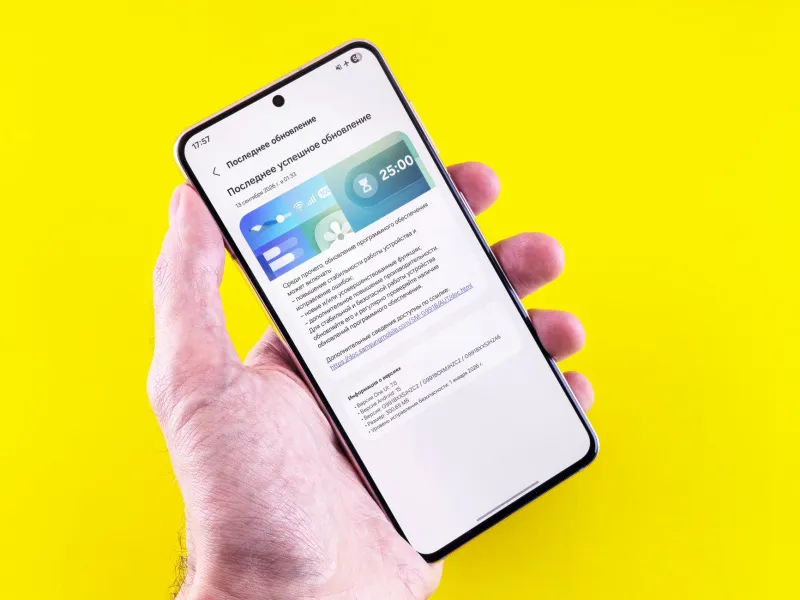
It happens on a pretty reliable schedule. You wake up, your phone has downloaded a new update overnight, you tap install, and within a week you're hunting for a charger by 3pm when you used to make it to dinner no problem.
Is it your imagination? Are these companies deliberately degrading your device to push you toward a shiny new model? Or is something more mundane — and honestly, more frustrating — going on?
We went looking for answers.
The Batterygate Moment That Changed Everything
To understand where we are now, you have to go back to 2017. That's when researchers at Primate Labs, the company behind the Geekbench benchmarking tool, noticed something strange: older iPhones were scoring significantly lower on performance tests after iOS updates. The pattern was too consistent to be noise.
Apple eventually admitted it had been throttling processor speeds on older iPhones with degraded batteries — framing it as a feature to prevent unexpected shutdowns. The backlash was immediate and severe. Apple paid out $500 million in a class action settlement. The term "planned obsolescence" entered mainstream tech conversation in a way it never had before.
But Apple wasn't alone, and the story didn't end with that settlement.
What Actually Happens to Your Battery After an Update
Let's be precise about the mechanisms, because "updates slow your phone" is both true and misleading depending on which part of the process you're talking about.
Background reindexing is the most common culprit for the immediate post-update slowdown. When a major OS update installs, the system needs to reindex your apps, photos, contacts, and files so the new search and AI features can work properly. This process runs in the background for anywhere from 24 to 72 hours, consuming significant CPU cycles and battery in the process. Most of the "my phone is dead after this update" complaints are actually this — and they resolve on their own.
New features running in the background are a longer-term problem. Each update typically introduces new system services that run continuously: improved location features, enhanced Siri or Google Assistant processing, new health monitoring functions, updated ad tracking frameworks. These don't go away after reindexing. They're permanent additions to the background workload your battery has to support.
Optimized code for newer hardware is where the planned obsolescence argument gets real legs. When Apple writes iOS 17 or Google writes Android 14, the performance baseline they're optimizing for is the current flagship chip — the A17 Pro or the Snapdragon 8 Gen 3. The same software running on a three-year-old chip isn't running more efficiently; it's running the same workload on hardware that was never designed to handle it.
The Manufacturer Incentive Problem
Here's where we have to be honest about incentives, because they matter.
Apple makes most of its money selling iPhones. Google makes money from Android ecosystem engagement — search, apps, services — and also sells Pixel phones. Samsung sells phones. Every single major player in the smartphone market has a financial interest in you buying a new device on a regular cycle.
That doesn't prove malice. It doesn't mean engineers are sitting in a room deliberately writing code to kill your battery. But it does mean there's no strong institutional incentive to prioritize performance longevity on older devices. When a product manager has to choose between a new AI feature that requires background processing and the battery life of a four-year-old phone, the new feature wins. Every time.
Researchers at Harvard Business School published a study in 2023 examining search interest in iPhone models around the release of new ones and found statistically significant spikes in searches for "iPhone slow" and "iPhone battery" that correlated with both new releases and major iOS updates — suggesting the perceived degradation is real and consistent, not random.
Android vs. iPhone: Does It Matter Which You Have?
Short answer: yes, but not in the way most people expect.
iPhone users get longer software support — Apple typically supports devices for five to six years. But that support comes at the cost of running increasingly demanding software on aging hardware. An iPhone SE from 2020 running iOS 17 is doing significantly more computational work than it was designed for.
Android users on flagship Samsung or Google Pixel devices are in a similar boat, though the support window has traditionally been shorter (Samsung now promises four years of OS updates, which is progress). Budget Android users often stop receiving updates much sooner — which sounds bad but actually means their phones stop accumulating the background bloat that eats battery on updated devices.
The irony is real: sometimes the phone that stops getting updates outlasts the one that gets them faithfully.
What You Can Actually Do About It
You're not powerless here, and you don't need to buy a new phone to get your battery life back.
Wait 48-72 hours before judging an update. Seriously. The reindexing process is real, and most of the immediate battery impact resolves on its own. Give it three days before you panic.
Audit your background app refresh settings. After every major update, go through Settings > General > Background App Refresh (iPhone) or Settings > Apps (Android) and kill permissions for anything that doesn't genuinely need to run in the background. Updates frequently reset these preferences.
Check which new features are running by default. iOS and Android both have battery usage breakdowns that show you what's consuming the most power. After an update, check this list and disable anything you didn't ask for — new AI features, enhanced location services, live activity notifications.
Consider a battery replacement before an upgrade. Apple charges $99 for an out-of-warranty iPhone battery replacement. That's a fraction of a new phone and frequently restores performance to near-original levels. Third-party repair shops often charge less.
Delay major updates on older devices. This is a tradeoff — you sacrifice security patches to preserve performance — but on a device that's three-plus years old, waiting a few weeks to read the community feedback on a new update can save you from a rough experience.
The Honest Verdict
Is your phone being deliberately killed by updates? Probably not through malicious intent. But the outcome — a device that performs noticeably worse after routine software maintenance — is functionally the same as if it were.
The incentive structures of the smartphone industry don't reward longevity. They reward upgrade cycles. Until that changes, your best defense is understanding exactly what's happening under the hood — and making deliberate choices about when and how you update.