Every App Wants a Piece of Your Brain — Here's How to Stop Giving It Away

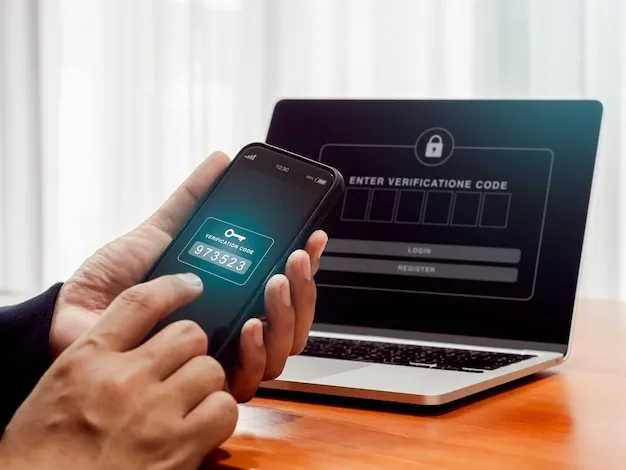
Photo by Photo by Dominic Wajda on Unsplash on Unsplash
Let's be honest about something: your phone buzzing right now probably isn't important. It's almost certainly not urgent. And the app that sent that notification knows both of those things — and sent it anyway.
We talk a lot about data privacy, about algorithms, about the attention economy in the abstract. But the most direct way that tech companies extract value from your life happens in a very specific, very mundane moment: the half-second you spend glancing at a notification badge. That half-second is worth real money to someone. And they've spent millions of dollars engineering the perfect conditions to manufacture it.
Here's what's actually happening — and more importantly, how to make it stop.
The Science Behind the Buzz
Notifications aren't designed to inform you. They're designed to trigger you.
The mechanism is borrowed directly from behavioral psychology — specifically, variable ratio reinforcement, the same principle that makes slot machines so effective. When a reward is unpredictable, the brain releases dopamine not just when the reward arrives, but in anticipation of it. The buzz itself becomes the hit. You check your phone not because something important happened, but because something might have happened.
App developers and growth teams know this intimately. The notification systems built into modern apps aren't an afterthought — they're engineered through extensive A/B testing to maximize what the industry calls "re-engagement." That's a sanitized term for "getting you back into the app before you've had a chance to think about whether you want to be there."
The timing is deliberate. The copy is deliberate. The red badge on the icon — red, specifically, because it signals urgency and threat to the primate brain — is deliberate. None of this happened by accident.
Who Profits When You're Distracted
Here's the economic reality: for most apps, your attention is the inventory being sold to advertisers. Every minute you spend inside an app is a minute that can be monetized. Every time a notification successfully pulls you back in, that's a measurable conversion event in someone's analytics dashboard.
Social apps are the obvious culprits, but the pattern extends further than most people realize. News apps send breaking alerts at a cadence designed to create anxiety, not inform. Shopping apps ping you with "limited time" deals engineered to manufacture urgency. Even productivity apps — the ones that are supposed to help you focus — will happily interrupt you with usage reminders, upsell prompts, and "streak" alerts designed to create compulsive checking behaviors.
The app stores themselves bear some responsibility here. Both Apple and Google have historically rewarded engagement metrics, which incentivizes developers to optimize for time-in-app over user wellbeing. That's been changing incrementally — Apple's Screen Time and Google's Digital Wellbeing tools represent genuine attempts to give users more control — but the structural incentives haven't fundamentally shifted.
Your Attention Is Not a Renewable Resource
The research on this is pretty grim. A widely cited Microsoft study found that the average human attention span has measurably declined in the smartphone era. Gloria Mark at UC Irvine found that it takes an average of 23 minutes to fully recover your focus after an interruption. Not 23 seconds — 23 minutes.
If you're getting 40 notifications a day (a conservative estimate for most smartphone users), and each one costs you even a fraction of that recovery time, the math on your actual productive capacity is brutal.
This isn't a willpower problem. It's a design problem. And the solution isn't to try harder to ignore your phone — it's to change the conditions.
The iOS Playbook
Apple's notification controls are actually pretty robust if you know where to find them. Go to Settings > Notifications and you'll see every app that has permission to interrupt you. The key move here is to be ruthless: most apps do not need to send you alerts.
For apps you want to keep notifications from, turn off "Allow Notifications" entirely for anything that isn't genuinely time-sensitive. For the ones that make the cut, consider switching to Scheduled Summary — this batches non-urgent notifications and delivers them at a time you choose, rather than the moment an algorithm decides you should see them.
Focus modes are underused and genuinely powerful. Setting up a Work focus that only allows calls and messages from specific contacts, and an automatic schedule to enable it during your working hours, is one of the highest-leverage things you can do for your attention. You can also set apps to show notifications silently — badge only, no sound, no banner — which is a useful middle ground for apps you want to check on your own terms.
One more iOS move worth making: disable notification badges on your home screen for social apps. The little red number sitting on an icon is designed to create an itch you want to scratch. Remove the itch.
The Android Approach
Android gives you even more granular control, which is both a blessing and a slightly overwhelming to navigate. Go to Settings > Notifications > App notifications to see a full list sorted by most recent notification senders — that view alone is clarifying.
Android's notification channels are particularly useful. Many apps send multiple types of notifications (messages, promotions, activity alerts) through separate channels, and you can disable specific channels without killing all notifications from that app. Instagram, for example, will let you keep direct message alerts while turning off all the engagement-bait notifications about posts you might like.
Do Not Disturb on Android is worth configuring properly rather than just toggling on and off. Set it to allow calls from starred contacts, repeat callers (for emergencies), and alarms — then schedule it for your focus hours and let it run.
Email Is a Special Case
Email notifications deserve their own category because they're uniquely disruptive in a way that's socially normalized. Most people have their email set to push notifications in real time, which means every incoming message — including newsletters, promotional emails, and automated alerts — has the ability to interrupt whatever you're doing.
The fix is simple but feels radical: turn off email push notifications entirely. Check your email intentionally, at times you choose, rather than responding to every incoming ping. Set up VIP or priority filters so that messages from specific people (your boss, your kids' school, your doctor) can still surface alerts, while everything else waits.
Gmail's Priority Inbox and Apple Mail's VIP list both support this workflow. If you're on Outlook, Focused Inbox does the same job.
Desktop Is Where It Gets Embarrassing
For a lot of people, desktop notifications are the final frontier of chaos. Between browser notifications (which you probably approved without thinking when a site asked), Slack, Teams, email clients, and calendar apps, a typical work computer can interrupt you dozens of times per hour.
On Mac, System Settings > Notifications gives you the same app-by-app control as iOS. On Windows 11, it's Settings > System > Notifications. Go through both lists and be ruthless. Most browser-based notifications can be revoked in your browser settings — in Chrome, go to Settings > Privacy and Security > Site Settings > Notifications and audit what you've allowed.
For communication tools like Slack, configure notification schedules so that messages only alert you during specific windows. The "Do Not Disturb" schedule in Slack is one of the most impactful settings most people never touch.
The Bigger Picture
None of these settings are secret. Apple and Google publish guides to all of them. The reason most people haven't implemented them isn't lack of information — it's that the defaults are set by the apps, not by you, and the apps have a financial interest in those defaults being as interruptive as possible.
Taking control of your notifications is, in a very real sense, an act of reclaiming your own cognitive space from systems that were explicitly designed to colonize it. That sounds dramatic. It's also just true.
You don't have to go full digital hermit. The goal isn't zero notifications — it's intentional notifications. The difference between a phone that works for you and one that works against you is mostly a few hours of settings configuration and the willingness to stop letting apps make those decisions on your behalf.
Your attention is finite. It's also, arguably, the most valuable thing you have. Treat it accordingly.