Not All Two-Factor Authentication Is Created Equal — Here's What's Actually Protecting You
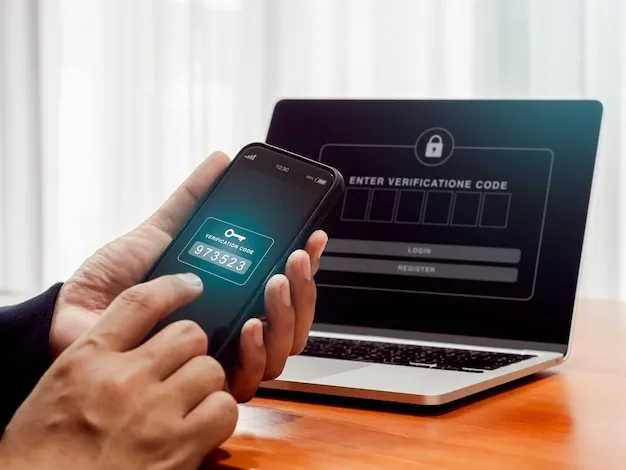
Photo: smartphone two-factor authentication security login screen, via img.freepik.com
Turning on two-factor authentication feels like doing the responsible thing. You flip the switch, you get a little confirmation checkmark, and you walk away feeling like your accounts are locked up tight. Here's the uncomfortable truth: depending on which method you chose, you might have barely improved your security at all.
That's not a reason to skip 2FA — it absolutely isn't. But it is a reason to understand what you actually turned on. Because there's a massive gap between "I have two-factor authentication" and "my accounts are meaningfully harder to compromise."
First, Why 2FA Matters at All
Passwords alone are a disaster. People reuse them, companies get breached and leak them, phishing attacks steal them, and credential-stuffing bots hammer login pages 24 hours a day. Two-factor authentication adds a second requirement beyond the password — something you have, something you are, or something you know — so that even a stolen password isn't enough to get in.
In theory, it's elegant. In practice, the implementation matters enormously.
SMS Codes: The Most Popular, The Most Overrated
If you've ever gotten a text that says "Your verification code is 847291," you've used SMS-based 2FA. It's everywhere. Banks love it. Social media platforms default to it. And it is genuinely better than nothing — but not by as much as most people think.
The core problem is SIM swapping. This is an attack where someone calls your carrier, impersonates you, and convinces a customer service rep to transfer your phone number to a new SIM card they control. Once they have your number, every SMS code meant for you goes to them instead. This isn't theoretical — it's been used to drain crypto wallets, hijack Twitter accounts, and compromise email inboxes. High-profile targets get hit with this regularly.
There's also the interception angle. SS7, the protocol that underlies global phone network routing, has well-documented vulnerabilities that sophisticated attackers can exploit to intercept text messages in transit. This is harder to pull off than SIM swapping, but it exists.
Bottom line on SMS: use it if it's the only option available. But if you have a choice, choose something better.
Authenticator Apps: A Solid Upgrade
Apps like Google Authenticator, Authy, and Microsoft Authenticator generate time-based one-time passwords (TOTP) — those six-digit codes that refresh every 30 seconds. These codes are generated locally on your device and never travel over the phone network, which eliminates the SIM-swapping and SS7 vulnerabilities entirely.
This is a meaningful security improvement. For most people, authenticator apps hit the sweet spot of reasonably strong protection without being inconvenient to use daily.
A few caveats worth knowing: if someone is watching your screen or has malware on your device, they can still capture a code in the window it's valid. And phishing sites can relay codes in real time — you type your code into a fake site, the attacker immediately uses it on the real one. It's called a real-time phishing attack, and it works against TOTP codes.
Still, for the vast majority of accounts — social media, email, e-commerce, financial apps — authenticator apps are a substantial step up from SMS and the right call for most users.
Pro tip: If you're using Google Authenticator specifically, make sure you've enabled cloud backup or have your backup codes saved somewhere safe. Losing your phone without a backup means getting locked out of everything you secured with it.
Biometrics: Convenient, But Not What You Think It Is
Face ID, fingerprint readers, voice recognition — these feel futuristic and secure. And they are convenient. But here's the thing: biometrics on your phone aren't usually acting as a standalone second factor for your online accounts. They're unlocking your device or your authenticator app locally.
When you use Face ID to approve a login, what's typically happening is that your biometric unlocks a cryptographic key stored on your device, which then authenticates you. The biometric itself isn't being sent anywhere. That's actually a good design — but it means the security of this method depends heavily on the security of your device.
Also worth noting: in the US, courts have generally held that biometrics (like fingerprints) don't carry the same Fifth Amendment protections as passwords. Law enforcement can compel you to unlock a device with your face or finger in ways they can't compel you to reveal a passcode. That's a privacy consideration worth keeping in mind.
Hardware Security Keys: The Gold Standard
If you want the strongest 2FA available to regular consumers, hardware security keys — Yubico's YubiKey being the most well-known — are it. These are small physical devices, usually USB-A or USB-C, that you plug in or tap (NFC versions exist) to authenticate.
They use a protocol called FIDO2/WebAuthn that is specifically designed to be phishing-resistant. When you register a key with a website, it creates a cryptographic relationship with that specific domain. A fake site can't use your key to log into the real site because the domain doesn't match — the authentication fails at the protocol level, not the human level. That's a huge deal.
Google's internal security team famously reported zero successful phishing attacks on employee accounts after rolling out hardware keys company-wide. Zero.
The downsides: they cost money ($25–$50 for a decent key), you need to buy at least two (one as a backup), and not every service supports them yet. They're also one more physical thing to keep track of.
For high-value accounts — your primary email, financial accounts, work systems, anything with sensitive data — a hardware key is worth the investment.
So Which Method Should You Actually Use?
Here's a practical framework:
For your most critical accounts (primary email, banking, work logins): Hardware security key if the service supports it. Authenticator app as the fallback. Avoid SMS if you have any other option.
For everyday accounts (social media, streaming, e-commerce): Authenticator app is the right call. It's strong enough and low-friction enough to actually use consistently.
For accounts that only offer SMS: Turn it on. Imperfect 2FA beats no 2FA every single time. Just understand the limitations.
For anything that only offers email-based codes: This is essentially just a second password. Still better than nothing, but treat it as a weak option and prioritize securing that email account above everything else.
One Thing Almost Everyone Gets Wrong
People set up 2FA and then never save their backup codes. Every service that supports 2FA will give you a set of single-use recovery codes when you first enable it. These are your lifeline if you lose your phone or your authenticator app. Print them out. Store them somewhere physical and secure — not in your email, not in a note on your phone. A lot of account lockouts happen because someone upgraded their phone, lost their TOTP setup, and realized their backup codes were stored on the device they no longer have.
The Takeaway
Two-factor authentication is one of the highest-impact security steps you can take, but the method you choose determines how much protection you're actually getting. SMS is better than nothing. Authenticator apps are better than SMS. Hardware keys are better than all of it. The goal isn't to find the most convenient option — it's to find the strongest option you'll actually use consistently.
Check your critical accounts today. If any of them are sitting on SMS-only 2FA and offer a better alternative, upgrade it. It takes five minutes and it's one of the most concrete things you can do to keep your digital life from becoming someone else's problem.